[cmc_oracle_badge]

Primavera P6 EPPM has long been trusted for enterprise-level scheduling, particularly on large-scale, complex projects. Oracle Primavera Cloud (OPC) brings those core capabilities into a cloud native platform, offering enhanced collaboration, accessibility, and modern project controls. As project organizations evolve, it is essential to understand how these two platforms differ and what benefits OPC introduces.
Cloud Based Convenience
The most obvious distinction is architecture. OPC is a Software as a Service (SaaS) solution hosted by Oracle, requiring no local infrastructure. Updates are automatic, access is browser based, and IT overhead is significantly reduced. In contrast, P6 EPPM is most commonly deployed on premise or in customer managed environments, requiring dedicated servers, internal databases, IT maintenance, and scheduled upgrade cycles.
Cloud deployment not only simplifies setup but also enhances scalability. Organizations can onboard new users and projects without waiting for hardware provisioning. Browser based access means project stakeholders can work from anywhere without installing software or relying on VPN access. For companies managing hybrid or remote teams, this is a major advantage. Automatic updates also ensure teams benefit from the latest features and security enhancements without manual intervention.
Modern Interface and Navigation
OPC introduces a streamlined interface built for modern web use. Navigation is organized by functional “apps” such as Schedule, Portfolio, Cost, and Tasks, paired with an object selector to easily switch between projects and workspaces. This user friendly design simplifies onboarding, especially for teams unfamiliar with the more complex interface of P6.
P6, particularly in its Professional client, retains a mature desktop client interface optimized for power users. While powerful, this layout can feel less intuitive for new users. OPC offers a more visual, guided experience, with embedded help and tutorials.
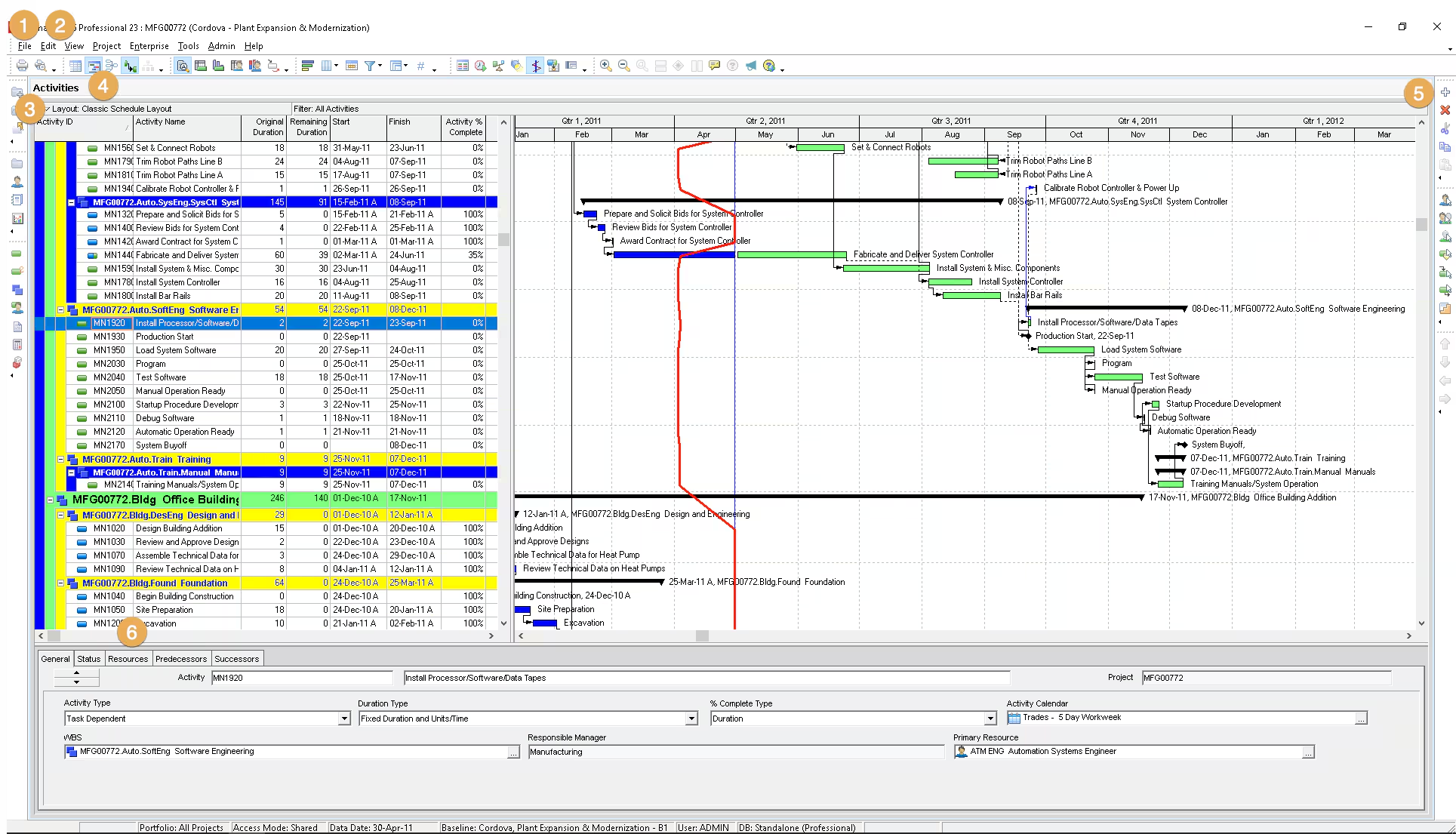
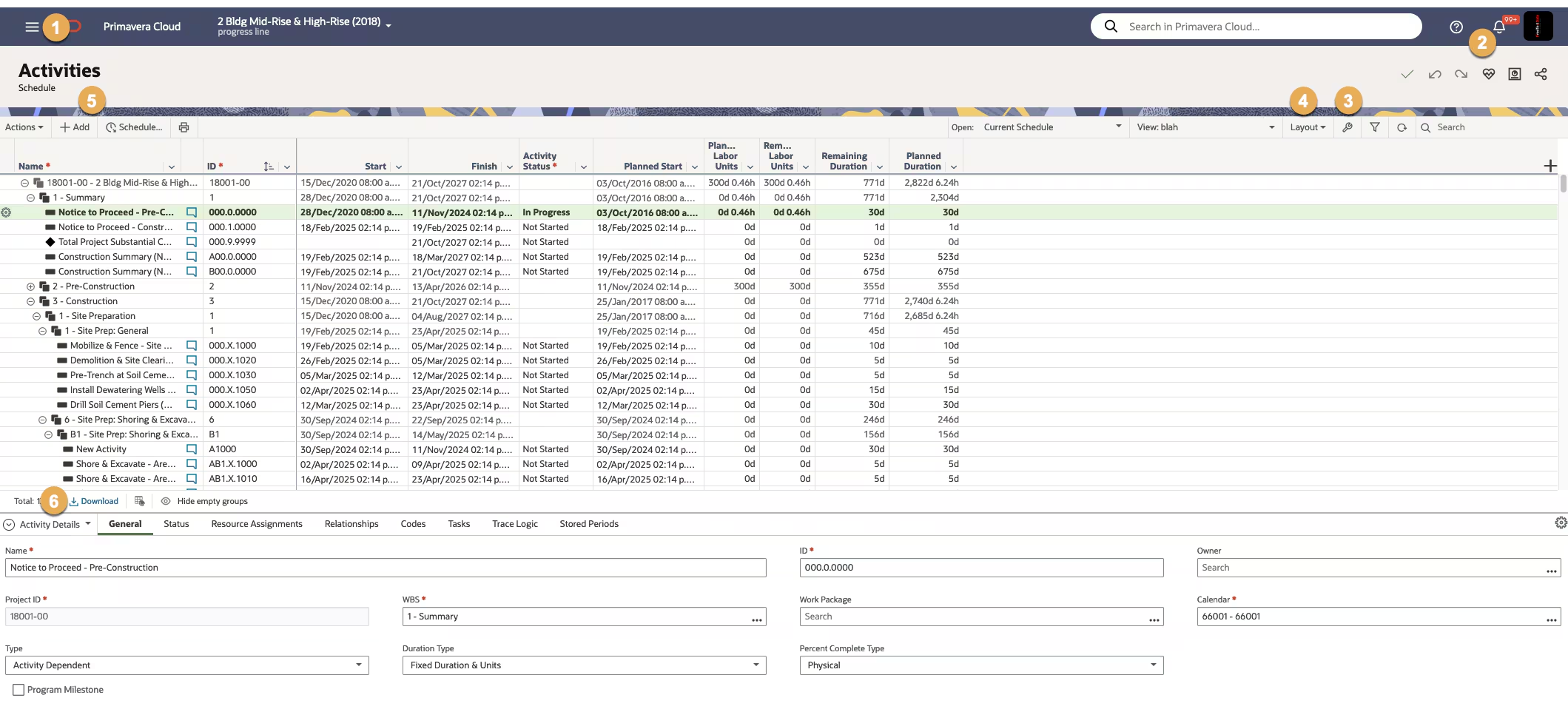
OPC offers a cleaner, modern interface that improves navigation and usability
Project Organization and Security
OPC replaces the P6 Enterprise Project Structure (EPS) with Workspaces. A single Root Workspace typically reflects the organization and contains all active and inactive projects. Beneath it, child and grandchild workspaces align with departments, regions, or programs.
Access control in OPC is managed at the workspace level. This eliminates the need for complex OBS setups and makes it easier to manage who can view or modify which projects. It also improves data segregation; teams working in one region won’t see unrelated resources or project codes from another. While OBS structures still exist in OPC, workspace level security is the primary control mechanism.
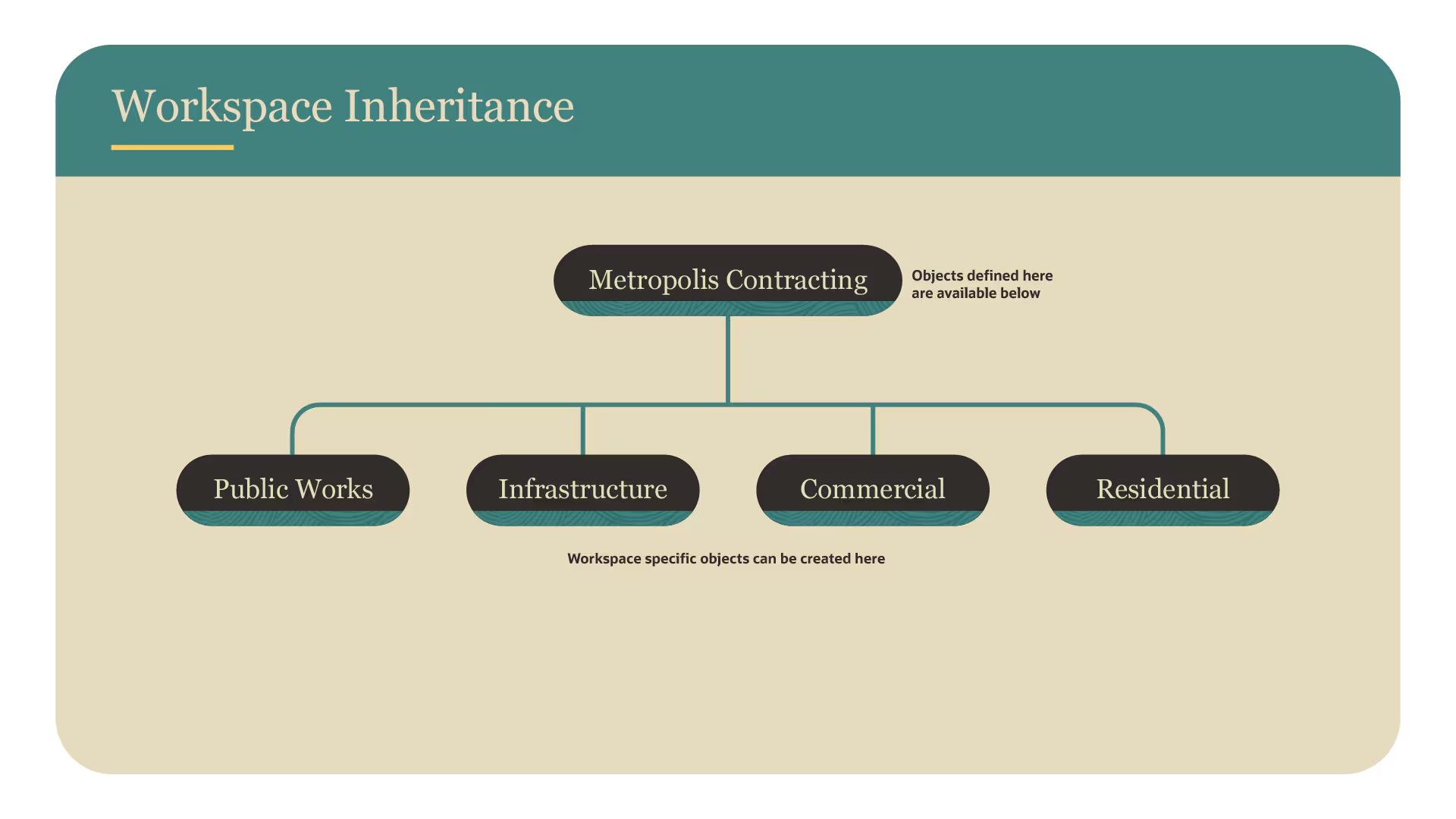
Workspaces in OPC improve organization and streamline security management
Data Management and Customization
In P6, calendars, resources, project codes, and other enterprise data are defined globally. OPC introduces dictionaries within a workspace that allow shared data to be inherited, or kept separate, based on the structure of the organization. For example, a workspace for the North America division can maintain its own cost codes and calendars, while still receiving templates from a corporate level workspace.
This flexible approach means OPC can support diverse teams, joint ventures, and regional operations without cluttering global data. Organizations benefit from centralized governance while empowering local adaptability.
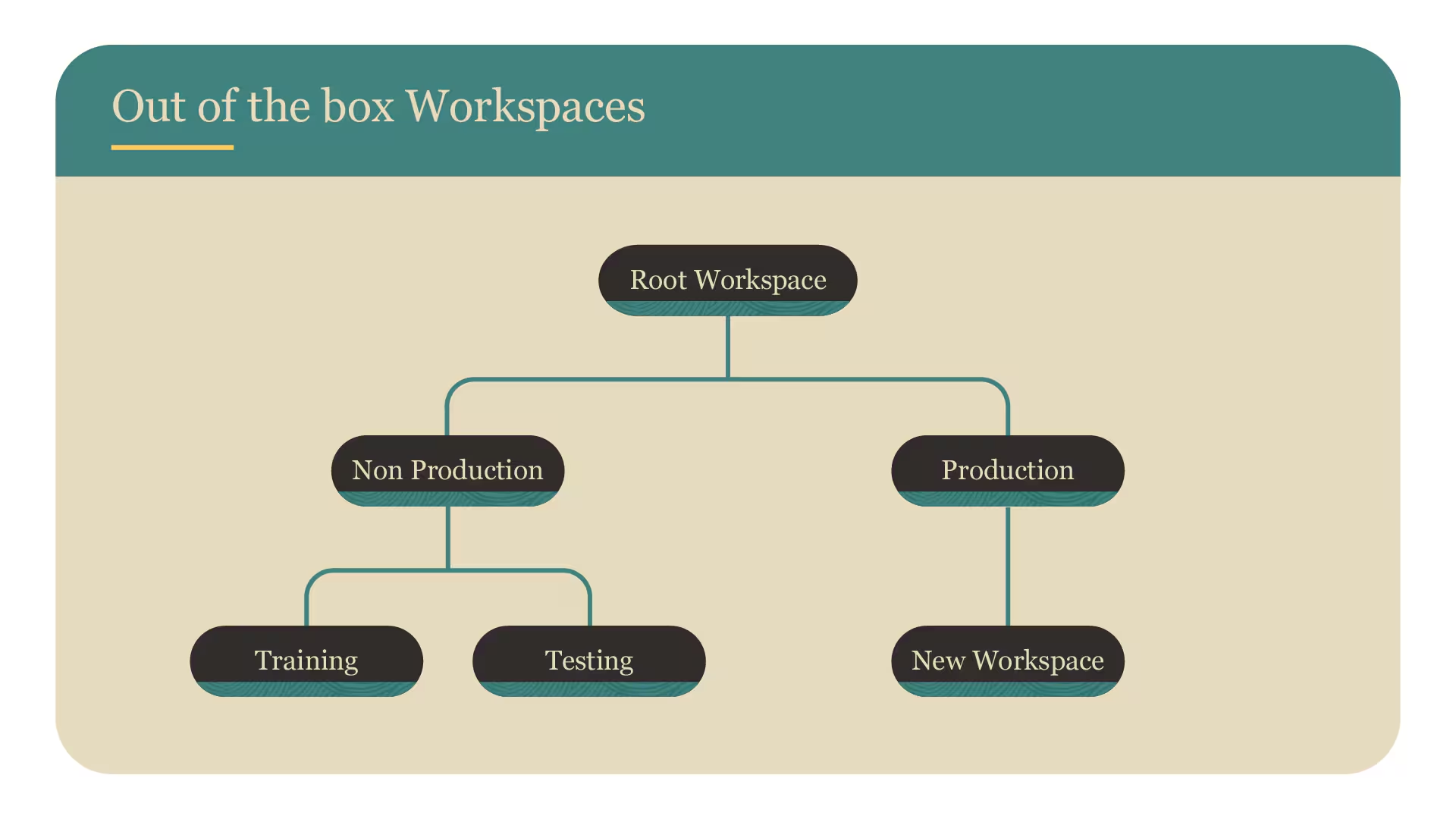
Data inheritance in OPC allows flexible control over shared enterprise structures.
Views vs. Layouts
P6 uses Layouts to customize screen views for activities, resources, and projects. OPC uses Views, which can be saved at personal, project, or workspace levels. Views define filters, grouping, and formatting options, enabling shared configurations or personal preferences.
Workspace level views are especially valuable for ensuring consistent reporting across an entire business unit or portfolio. This is especially valuable for organizations with regulatory or owner reporting requirements, where consistency matters. Teams can work from standardized dashboards while still having the option to create private views for their day to day tasks.
Improved Resource and Role Management
OPC enhances resource management by supporting workspace based resource pools and the ability to level both named resources and generic roles. This is a meaningful upgrade from P6, where leveling could only be done with named resources.
Role level leveling allows organizations to identify potential labor shortages before assigning specific personnel. For instance, if a schedule demands more electricians than available across multiple projects, planners can proactively adjust workloads or timelines. This capability is native to OPC and does not require external tools or custom scripts.
Built-In Tools for Lean, Risk, and Cost Management
OPC offers optional integrated modules for Lean task management, Monte Carlo based risk simulations, and cost control, all native to the platform. In P6, these features typically require external tools or complex add ons.
Lean Task Management enables last planner style workflows where field teams can collaboratively plan short term tasks. Risk Management allows schedulers to apply probabilistic analysis and evaluate impacts on completion dates and costs. The Cost module provides budget tracking, forecasting, and earned value analytics within the same environment.
Licensing and Total Cost of Ownership
OPC uses a modular, subscription based pricing model. Organizations only pay for the features they use and can scale their licenses as needs change. Entry requirements are lower, compared to P6, which often requires larger minimum user commitments and additional infrastructure investment.
The shift to a subscription model also simplifies budgeting. Costs are predictable and inclusive of hosting, support, and maintenance. Eliminating server costs, database administration, and manual upgrades leads to long term savings and more focus on strategic planning.
How CMC Project Solutions Supports Your Transition
As an experienced Oracle partner with deep Primavera delivery expertise, CMC Project Solutions helps organizations leverage OPC by offering:
- Full implementation and system configuration
- Migration planning from P6, including data mapping and validation
- Workspace architecture and scheduling best practices
- End user and administrator training
- Ongoing support and performance optimization
Our consultants work closely with clients to ensure a smooth transition, protect historical data integrity, and tailor OPC’s features to project requirements. Whether you’re managing capital construction, infrastructure, or enterprise portfolios, CMC Project Solutions provides the technical expertise and strategic guidance needed for success.
Conclusion
OPC offers a compelling evolution from P6. Its cloud native architecture, user centric design, and integrated functionality provide significant advantages in usability, collaboration, and scalability. By adopting OPC, organizations can modernize their project controls environment while reducing operational costs.
With support from CMC Project Solutions, organizations can adopt OPC with confidence and realize value faster.